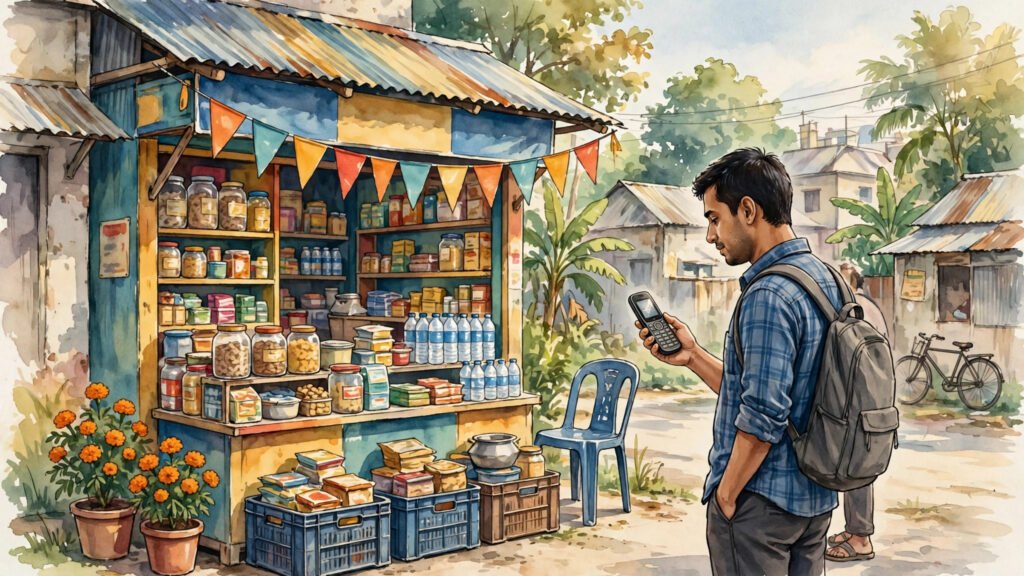
In Bangladesh, millions of people send and receive money on a phone that has no touchscreen, no app store, and no mobile data plan. The service most of them reach for is bKash, a mobile money service that was built to work on the simplest handsets as well as on smartphones. If you have ever wondered how money can move on a phone that cannot run an app, the answer is simpler than it looks: the phone talks to the service through a short menu code, and the agent network around the corner does the rest.
This guide explains, step by step, how bKash works on a basic phone, what you can do with it, and what to check before you send money. It is written for readers in Bangladesh, and for anyone abroad who sends money home to family there and wants to understand how the other end works.
Key Takeaways
- bKash on a basic phone works through a menu code, not an app, so no smartphone or mobile data is needed.
- Cash in and cash out happen through local agents, who turn physical cash into mobile balance and back again.
- Always confirm the recipient number, the amount, and the confirmation message before you treat a transfer as done.
What bKash actually is
bKash is a mobile financial service in Bangladesh. Think of it as a wallet that lives on your mobile number rather than in a bank branch. Once an account is opened on that number, money stored in the wallet can be sent to another bKash account, used to pay a bill or a merchant, or turned back into cash. The service is designed for everyday use: sending money to family, paying for a recharge, or settling a small shop bill without carrying notes everywhere.
On a smartphone, people usually use the bKash app. On a basic phone, the same wallet is reached through USSD, which is the text-menu system that appears when you dial a short code. The screen shows numbered options, you reply with a number, and the menu moves to the next step. There is nothing to download and no data connection to keep alive, which is why the system works on older handsets and in places where the mobile signal is weak but present.
How the menu works on a basic phone
The usual way in is to dial the bKash USSD code from the registered phone. A menu opens on the screen with options such as Send Money, Cash Out, Mobile Recharge, Payment, and more. Each option has a number beside it. You type that number and press send or reply, and the next screen asks for the next detail: the recipient’s mobile number, then the amount, then a confirmation step.
That step-by-step shape matters. A transfer is not one tap; it is a short conversation between your phone and the service. The system shows you what you entered before it finishes, and that confirmation screen is your last chance to catch a wrong digit in a phone number. If the number is wrong, stop and start again rather than hoping the money will find its way back on its own.
After a successful transfer, both sides normally receive a confirmation message. Keep that message until the recipient confirms they received the money. On a basic phone, that text message is your receipt, since there is no app history screen to open later. If you delete messages to free space, write down the transaction details first.
On a basic phone, that text message is your receipt, since there is no app history screen to open later.
Where agents fit in
The agent network is the part of the system that people outside Bangladesh often miss. A bKash agent is usually a small shopkeeper who is registered with the service. When you hand an agent cash, the agent adds the same value to your bKash wallet. That is called Cash In. When you want cash back, you go to an agent, start a Cash Out from your phone, and the agent hands you the money. That is called Cash Out.
This is why mobile money works so well in towns and villages where bank branches are far away. The shop on the corner becomes the branch. It also means your phone and your agent are partners in every cash transaction: the phone carries the instruction, and the agent carries the cash. Neither step works without the other, so it is worth using an agent you know and keeping the agent’s receipt or confirmation for larger amounts.
Agents also help people who are new to the system. If a menu step is unclear, a regular customer will often ask the agent to walk through it. That help is useful, but your PIN is not part of it. Never share your PIN with an agent, a caller, or anyone who messages you claiming to be from the service. A real service message will not ask you to hand over your PIN to complete a transfer.
What you can do besides sending money
Sending money to another person is the best-known use, but it is not the only one. On the same menu, users can recharge a mobile balance, pay certain utility bills, and pay participating merchants. The exact options on the menu can change over time as new services are added, so the menu on your own phone is the most reliable list of what is available to you right now.
For families, the practical pattern is often the same each month. Money arrives from a relative working in Dhaka or abroad, it sits in the wallet, and it is drawn down in smaller amounts: a recharge here, a bill there, a Cash Out when cash is needed for the market. Because the wallet travels with the phone number, the money is not tied to one shop or one town. A person who moves for work keeps the same wallet, as long as the same registered number stays active.
That flexibility is also why people in other countries keep more than one SIM: the phone number itself has become a financial address, not just a way to call. In Bangladesh, one number often carries both the calls and the money, which makes keeping that number safe especially important.
Staying safe on a basic phone
Basic phones are harder to protect with app locks and biometric checks, so habits matter more. First, keep your PIN private and change it if you suspect someone has seen it. Second, read the confirmation screen every time, even when you are in a hurry. Most costly mistakes are not fraud at all; they are a mistyped number or an extra zero in the amount.
Third, be wary of calls and messages that promise a prize, a bonus, or a refund and then ask you to send money or share a code. Scammers target mobile money users in every country, and the playbook is similar everywhere. The same caution that helps readers stop spam calls in India applies here: an unexpected message that creates urgency is a reason to pause, not a reason to act. When in doubt, do not reply, and check with the agent or the service’s official channel before sending anything.
Fourth, protect the SIM itself. If your phone is lost or stolen, the number is the key to the wallet, so report the loss to your mobile operator and the service as soon as you can. A replacement SIM on the same number is normally the way back into the account, which is another reason to keep the number registered in your own name with up-to-date details.
- Dial the USSD code and follow the numbered menu — no app or data needed.
- Cash In and Cash Out happen through registered local agents.
- Check the number and amount on the confirmation screen before finishing.
- Keep confirmation messages until the recipient confirms receipt.
- Never share your PIN with an agent, a caller, or a message sender.
What if the signal is weak or the menu fails
A basic phone still needs a mobile signal to reach the menu. If the code does not open, the first checks are simple: move to a spot with better coverage, check that the phone has balance and signal bars, and try again. If the menu opens but a step times out, wait for a message before retrying, so you do not send the same amount twice. Slow or weak mobile coverage frustrates users in Pakistan too, and the same patience applies: a delayed confirmation is not always a failed transfer.
If money leaves your wallet but the recipient says nothing arrived, do not send it a second time straight away. Check your own confirmation message, ask the recipient to check theirs, and contact the service through its official support route with the transaction details. Sending a duplicate payment to fix a delayed one can create a second problem that is harder to unwind.
What to Watch Next
bKash on a basic phone already shows how far a simple menu can go: no app, no data, and a local agent network doing the cash work. What to watch next is how the menu, the agent network, and the safety habits around them keep up as more services move onto the same wallet. For users, the watch list stays practical: read the confirmation screen, keep the receipt message, guard the PIN, and use agents you trust. Those four habits are what make a basic phone a reliable way to move money in Bangladesh.