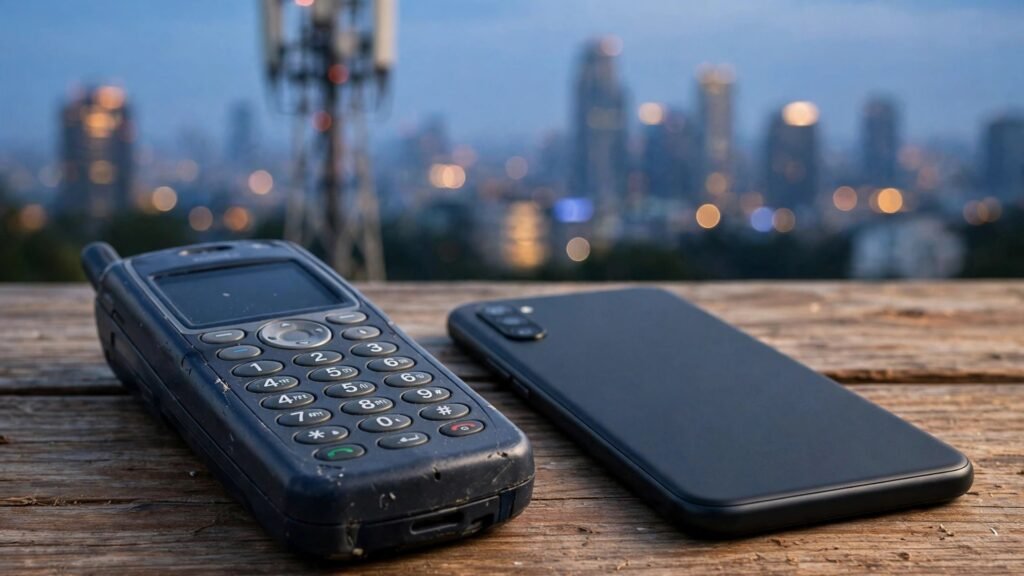
If you still carry an old phone in the United Kingdom, you may have noticed something odd: the handset that worked fine for years suddenly cannot get online, even though it still shows signal bars. The most likely reason is the 3G switch-off. Britain’s mobile networks are retiring their 3G networks so the airwaves they used can be reused for faster, more efficient 4G and 5G services.
For most people, the change passes unnoticed, because a modern phone simply moves to 4G or 5G. But a phone that can only use 3G for mobile data loses its way online once its network’s 3G service is gone. Calls and texts may still work for a while on the older 2G network, but mobile internet on that handset is finished. That is why the switch-off matters most to people with very old handsets, simple feature phones, and older connected devices such as alarms and trackers.
Key Takeaways
- UK networks are switching off 3G to reuse its airwaves for faster 4G and 5G services.
- A 3G-only phone loses mobile internet once its network’s 3G service ends, though calls and texts may still work on 2G for a while.
- Checking your phone’s network settings or asking your provider takes a few minutes and tells you whether you need to act.
What Is 3G, and Why Is It Being Switched Off?
Mobile networks are built in generations. 2G carried calls and texts, 3G added mobile internet at speeds that once felt remarkable, and 4G and 5G then took data speeds far beyond what 3G could offer. 3G launched in the UK in 2003, and for years it was the standard way to browse, check email and use apps away from Wi-Fi.
Over time, fewer and fewer people relied on 3G, because newer phones moved to 4G and 5G automatically. Keeping an old network running for a shrinking number of users takes up valuable radio spectrum and a large amount of energy. Networks therefore decided to switch 3G off and refarm, or reuse, its frequencies for the 4G and 5G services that carry nearly all mobile data today. The result, in principle, is stronger and faster service for the vast majority of users.
Which UK Networks Have Switched Off 3G?
There are four main mobile networks in the UK: EE, Vodafone, Three and O2. Smaller providers, such as those selling SIM-only deals under their own brand, run on one of these four networks, so when the host network switches 3G off, its partner brands lose 3G at the same time.
Vodafone completed its 3G switch-off in February 2024, and EE finished in the same month. Three completed its switch-off in December 2024, ending the network it had launched as a 3G-only service more than two decades earlier. Virgin Media O2, the last of the four, began switching off 3G in April 2025. If your provider is O2 or a brand that runs on O2, your area may have been switched off at a different time from another part of the country, because the work rolled out region by region.
The practical point is simple: by now, a phone that depends on 3G for data has no 3G network left to fall back on across most of the UK, whatever network you are on.
A phone that can only use 3G for mobile data loses its way online once its network’s 3G service is gone.
What Happens to an Old 3G-Only Phone?
A 3G-only phone does not stop working all at once, and that is what confuses many owners. The handset still powers on, still finds a signal, and may still make calls and send texts, because those can travel over the 2G network that remains in service for now. What disappears is mobile data: web pages will not load, apps will not refresh, and maps will not update unless the phone is connected to Wi-Fi.
Some older smartphones add a second problem. Even a phone that technically supports 4G may struggle with calls if it cannot make voice calls over 4G, a feature known as VoLTE. In that case the phone may show a 4G data connection but drop to an older network for calls. If that older network is gone, calls can fail even though the data icon looks healthy. This is worth checking on any handset that is more than a few years old.
Connected gadgets are affected too. Older car trackers, personal alarms, payment terminals and security devices sometimes contain a 3G modem, and they can quietly lose their connection when 3G ends. If a device that used to report its location or send alerts has gone silent, the 3G switch-off is one of the first things to check.
How to Check If Your Phone Is Affected
You do not need any technical knowledge to find out where you stand. Work through these checks in order:
- Look in your phone’s settings under Mobile Network or SIM settings: if the network mode lists 4G or LTE, or 5G, your phone can use a newer network.
- Check whether voice over LTE, often shown as VoLTE or 4G Calling, is switched on, so calls can work over 4G as well as data.
- Turn Wi-Fi off for a minute and try loading a web page: if it loads on mobile data, your phone is already using 4G or 5G.
- Look up your exact phone model on the manufacturer’s website and check which network types it supports.
- Ask your network provider directly, especially if you use a smaller brand, because it can confirm which host network you run on.
If your phone only lists 2G and 3G, or if it cannot load a page with Wi-Fi off, it is relying on networks that are being retired. The same test applies to a tablet with a SIM card or a mobile broadband dongle.
What to Do If Your Phone Is Affected
The simplest fix is to move to a phone that supports 4G, and ideally 5G. It does not have to be a new flagship handset: many affordable phones sold in recent years support 4G calling and data, and moving your existing SIM card across is usually all it takes. Before you buy, confirm with the seller or manufacturer that the model supports 4G calling on UK networks, not just 4G data.
If you love the old handset, you can still keep it as a Wi-Fi device at home for music, photos or games, but it will no longer be a reliable phone away from a wireless connection. For an older relative who only wants calls and texts, a basic modern feature phone that supports 4G is a better replacement than another 3G handset, because it will keep working as the old networks retire.
Do not throw the old phone away carelessly. Remove your SIM card, sign out of your accounts, and use a retailer take-back scheme or a local electronics recycling point. Keeping a working phone charged and ready also matters in an emergency, as the UK’s own household preparedness guidance notes in its advice on keeping essential supplies ready.
Finally, if a connected device such as an alarm or tracker has stopped working, contact its supplier rather than assuming the device itself has broken. Many suppliers offer a 4G replacement unit, and some will swap the modem inside the existing device.
What to Watch Next
The 3G era in the UK is effectively over, and attention is now turning to the much longer goodbye for 2G, which the government has targeted for retirement by the early 2030s. For now, 2G keeps basic calls and texts alive on the oldest handsets, but it is not a long-term home for any device. Anyone buying a phone or a connected gadget today should check that it supports 4G at minimum, and 5G where possible, so the next switch-off does not catch them out the same way. The lesson of the 3G switch-off is a simple one: check what your device can actually connect to, before the network it depends on is gone.