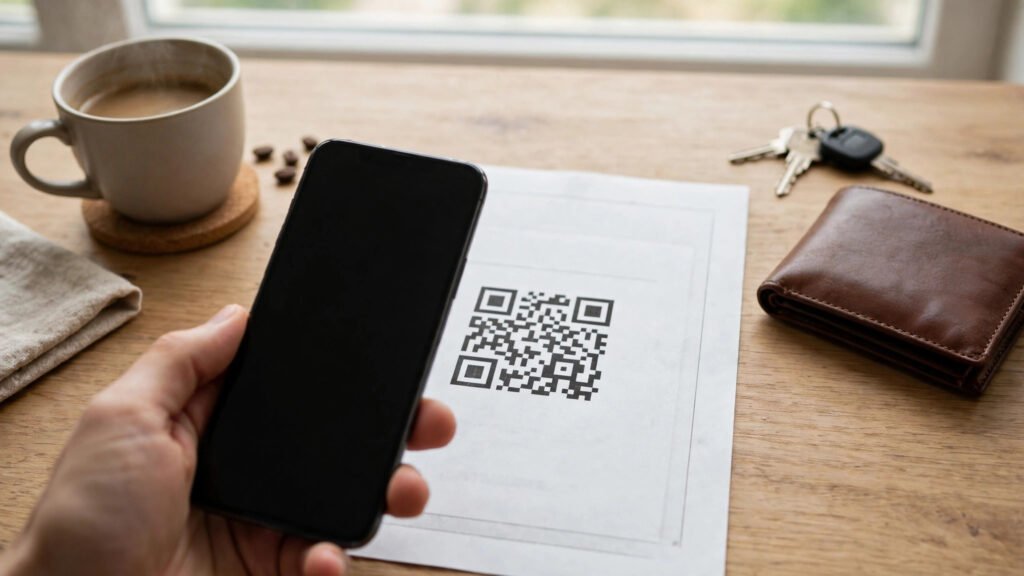
In Slovakia, paying a bill often starts with a phone camera rather than a keyboard. Many invoices and payment slips carry a small square code, and scanning it with a banking app can fill in the payment details automatically. For people who pay rent, utilities, phone bills and other regular charges, that one scan replaces a long string of numbers typed by hand.
The question is simple: why did this way of paying catch on in Slovakia, and what makes it different from typing the details yourself? The answer is a mix of convenience, fewer mistakes, and a payment system that was already built around structured bill details.
Key Takeaways
- Scanning a QR code on a Slovak bill can fill in the payee, amount and reference details in a banking app, instead of typing them by hand.
- The main benefit is fewer typing mistakes, because long account numbers and reference codes are easy to mistype.
- The habit works best for regular bills, where the same kind of payment repeats every month and speed matters.
What the QR Code on a Slovak Bill Actually Does
A QR code on a bill is not a link to a website. In this kind of payment, it is a compact bundle of payment instructions. When a banking app reads it, the app can recognise the recipient account, the amount to pay, and the reference information that tells the recipient what the payment is for.
That matters in Slovakia because bill payments often depend on reference details, not just the amount. A payment without the right reference can be hard for a company to match to the right customer or invoice. Scanning helps keep those details together, exactly as the biller printed them.
The person paying still stays in control. After the scan, the app normally shows the filled-in payment for review before anything is sent. The payer can check the recipient, the amount and the reference, and only then confirm the payment.
Why Typing Bill Details by Hand Causes Problems
Typing a payment by hand sounds simple, but it asks a lot of a phone keyboard. Account numbers are long, reference codes can mix digits in a fixed order, and a single wrong digit can send money to the wrong place or leave a bill unmatched.
People also pay bills in rushed moments — while cooking, commuting, or clearing a pile of post at the end of the day. That is exactly when a slip of the finger is most likely. A scan removes most of that manual step, so the payment starts from the biller’s own data rather than from a retyped copy.
For older phone users and for anyone who dislikes small on-screen keyboards, the difference is practical rather than technical. The task changes from entering data to checking data, which is faster and less stressful.
Scanning helps keep those details together, exactly as the biller printed them.
How Scanning Fits Everyday Life in Slovakia
QR bill payment fits a routine that many Slovak households already follow. Bills arrive by post or email, the phone is already in hand, and the banking app is the same app used for checking a balance or sending money to a friend. Scanning a code therefore feels like a small extension of something familiar, not a new system to learn.
It also suits regular, repeat payments. Rent, electricity, gas, internet and mobile bills tend to arrive in a similar format each month, so once a person has scanned one bill successfully, the next one works the same way. That repetition builds confidence quickly.
Similar phone-first payment habits can be seen elsewhere in Central Europe, where Poles pay with BLIK instead of cards and Belgians pay with Bancontact instead of cards. The tools differ, but the idea is the same: use the phone to make an everyday payment shorter and less error-prone.
What to Check Before You Confirm a Scanned Payment
- Check the recipient name and account shown by your banking app against the bill.
- Check the amount, especially if the bill includes a new charge or an adjustment.
- Check the reference or variable symbol, which helps the biller match the payment to your account.
- Only confirm in your own banking app, never through an unfamiliar link or message.
- Keep the bill or a screenshot of the confirmation until the payment shows as received.
These checks take only a few seconds, and they are the part of the process that should never be skipped. A scan can fill in details correctly, but the payer is still the person who authorises the money to move.
When Scanning Is Not the Best Option
QR bill payment is not useful for every situation. If a bill has no code, if the code is damaged or unclear, or if the amount on the bill looks wrong, typing the details — or contacting the biller — is the safer choice. A damaged code should never be guessed at.
Cash also still has a place in everyday life. As Austrians still pay cash in many situations, and the same is true for small, in-person purchases in Slovakia. Scanning a bill is a tool for account-to-account payments, not a replacement for every way of paying.
Some people also prefer to set up a standing order for a fixed bill, or to pay at a bank branch or post office. Those choices remain valid. The QR option simply gives people who pay from a phone a faster and more accurate starting point.
Why the Habit Is Likely to Stay
The habit is likely to stay because it solves a small annoyance very well. Nobody enjoys retyping long numbers, and nobody enjoys chasing a payment that went to the wrong reference. A scan does not change what is being paid, who is being paid, or how much — it only changes how the details get into the app.
As more bills are delivered digitally, the same idea can work from a screen as well as from paper. A code shown in an email or a customer portal can be scanned from another device, keeping the same check-then-confirm routine.
In the end, the Slovak QR bill habit is not about the code itself. It is about removing an unnecessary typing step from a task people repeat every month, and giving the payer a clearer moment to check before confirming.
What to Watch Next
Watch whether more billers print a scannable code as standard, and whether banking apps make the review screen even clearer before confirmation. The core idea is already settled: scan, check the recipient, amount and reference, then confirm. Future changes are most likely to make that check step easier, rather than to replace the scan itself.